World Cup Matches, Volley Aiming, and Super Shots
World Cup offers manual aiming shots, national footballers and Trophies on a published 20-minute match cycle. Follow the corner or volley prompt, then check your reward and leaderboard progress.
Choosing Your Side in the 20-Minute Cycle
According to the official game description, a new World Cup match starts every 20 minutes. When a match is active on your server, a top score strip displays the two competing nations, the live scoreline, and a countdown clock. In recorded gameplay, one match strip shows England 1 and Germany 0 with 4:19 remaining, accompanied by the prompt: Tap here to choose your side. Earlier in the same recording, the stadium header confirms active participation with the line: You play for Brazil.
Always tap the top score strip prompt to confirm your nation before waiting for an attack wave. Because available frames do not show an open country-picker list, simply click the top banner when it appears and read the confirmed nation name under the clock.
One-on-One Corner and Volley Prompts
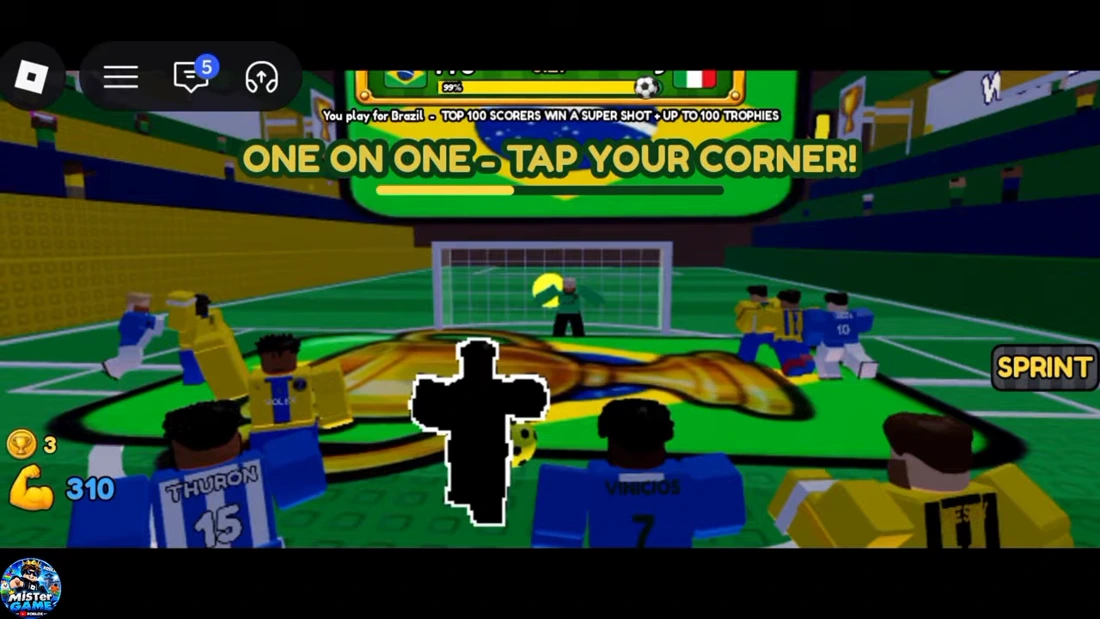
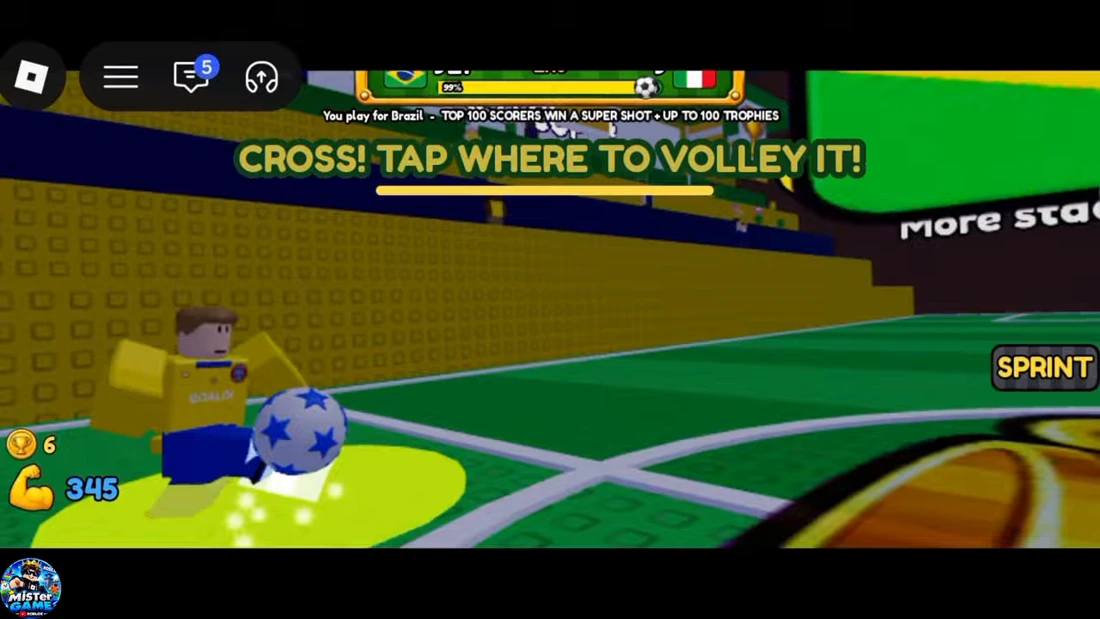
World Cup shots replace the ordinary vertical launch meter with manual target selection inside the World Cup stadium. Recorded footage captures two distinct shooting prompts while playing for Brazil. In one sequence, the screen displays ONE ON ONE TAP YOUR CORNER above the goal. In another sequence, a BRAZIL ATTACK alert precedes a frozen mid-air pass with a yellow bottom timer reading: CROSS! TAP WHERE TO VOLLEY IT.
Do not apply these manual aiming prompts to standard lobby distance kicks, which only use the vertical timing bar. The official World Cup overview advises aiming for the corners to beat the goalkeeper during match attempts. Because footage does not prove a guaranteed scoring pixel or timing formula, watch where the keeper stands inside the green goal frame during the pause and tap an open corner before the yellow bar expires.
Goal Rewards, Trophies, and Missed Shots
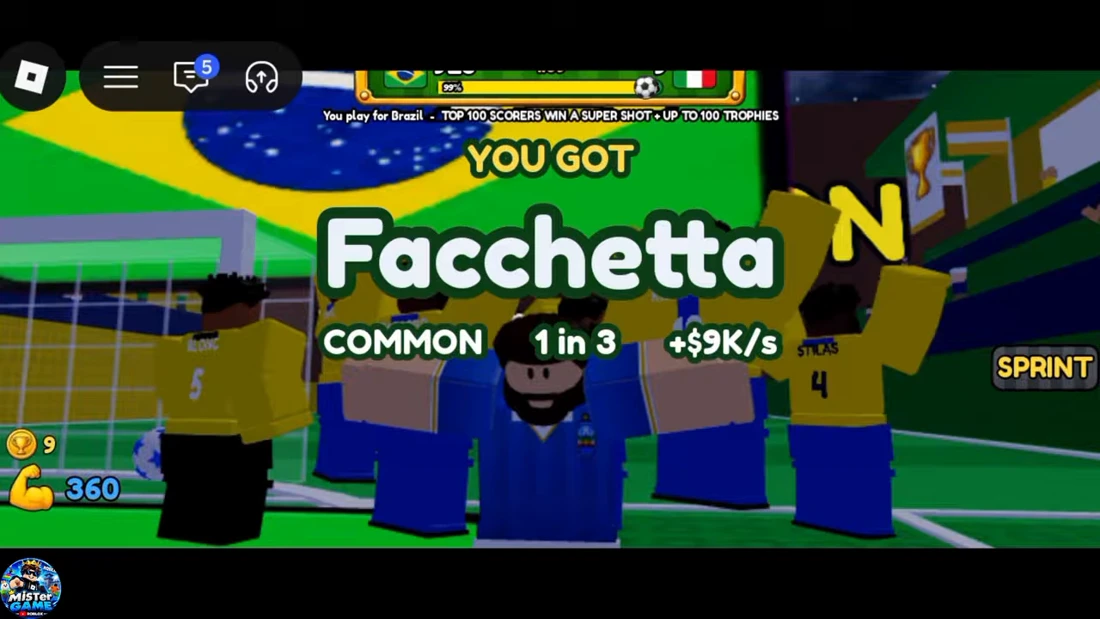
Putting the ball into the net triggers an immediate reward banner and deposits a national footballer into your hotbar. In recorded gameplay, the Brazil attack leads to a Facchetta reward card marked COMMON, 1 in 3 and +$9K/s, followed by the prompt to place the new card on your pitch. During that sequence, the top bar displays a Trophy counter reading 9 alongside Power 360. Treat that Trophy count of 9 as the account balance at that moment rather than a fixed single-goal payout.
Missing the net carries a direct penalty under the official World Cup rules: if your shot misses, the national player gets away. Available recordings only capture successful goals and do not show missed-shot animations or whether a failed attempt allows another try within the same match window.
Top 100 Super Shots and World Cup Index
Scoring goals during a match also enters you into a leaderboard race. The recorded stadium header reads: TOP 100 SCORERS WIN A SUPER SHOT + UP TO 100 TROPHIES! According to the official description, earning a Super Shot is only the first requirement; you must score with that Super Shot to unlock the exclusive fifth player of the final.
Long-term event progression connects directly to the World Cup tab visible inside the left-side Index menu. The official overview states that collecting all 50 national players completes the World Cup Index to unlock a World Cup Legend, while Trophies buy daily and weekly offers in the World Cup Shop.