Daily Login Rewards, Playtime Missions, and Shop Codes
The Daily menu contains login rewards and playtime Missions. Check both tabs for claimable bonuses. Recorded code announcements also name promotional rewards, though the available footage does not show successful redemption.
The Seven-Day Rewards Grid
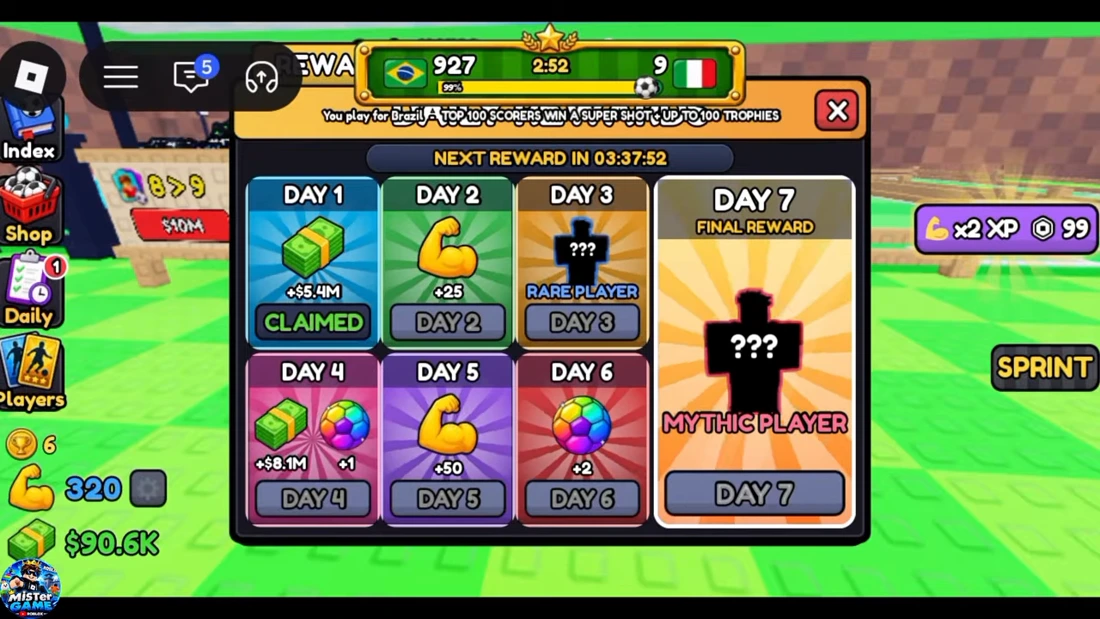
Clicking the Daily button on the left side of the screen opens a window featuring two top tabs: Rewards and Missions. In recorded gameplay, the Rewards tab displays a seven-day login grid alongside a Next Reward countdown reading 03:37:52. The recorded cards show Day 1 granting +$5.4M marked CLAIMED, Day 2 granting +25 Power, Day 3 granting a Rare Player, Day 4 granting +$8.1M and +1 Rainbow Ball, Day 5 granting +50 Power, Day 6 granting +2 Rainbow Balls, and Day 7 granting a Mythic Player.
Treat the cash figures on Day 1 and Day 4 as recorded values from that specific account snapshot rather than universal fixed payouts. Available sources do not document whether missing a login day resets your seven-day streak or which timezone governs the clock. Check the Next Reward timer at the top of the Rewards grid during each visit to see when your next card unlocks.
Daily Playtime Missions Track
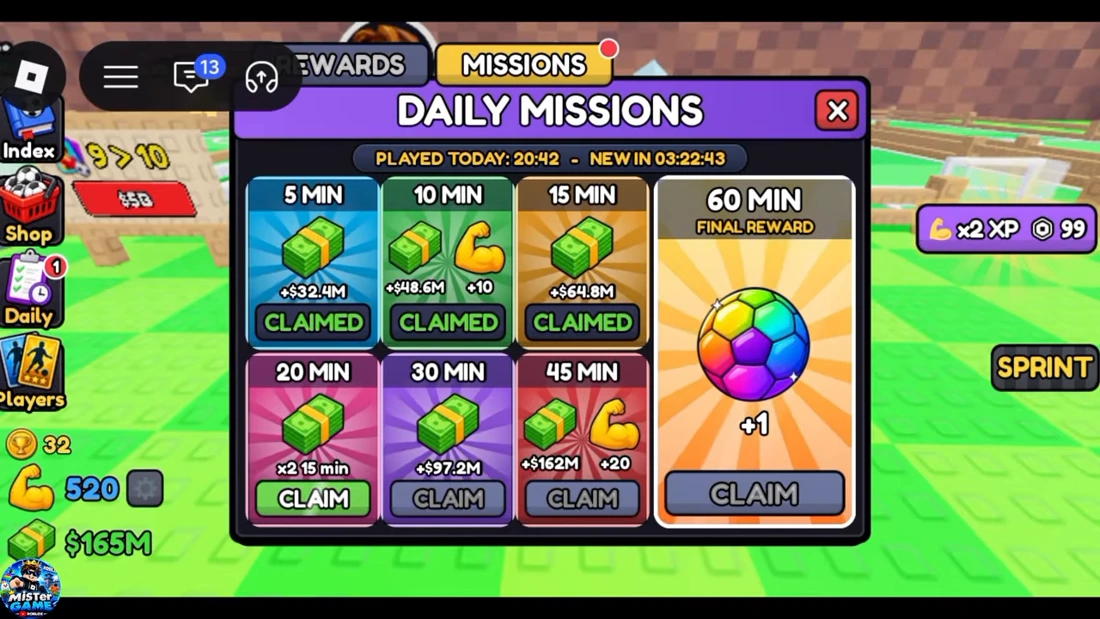
Switching to the Missions tab inside the Daily window reveals seven milestones tied to how long you stay logged in each day. At the bottom of the recorded window, two counters track the session: PLAYED TODAY 20:42 and NEW IN 03:22:43. In that snapshot, the 5-minute (+$32.4M), 10-minute (+$48.6M and +10 Power), and 15-minute (+$64.8M) milestones are already marked CLAIMED. Treat these specific dollar amounts as account examples rather than fixed base values.
The remaining cards in that recorded window show how later session milestones scale across an hour. The 20-minute slot offers a x2 Cash (15 min) boost with a green CLAIM button, the 30-minute slot lists +$97.2M, the 45-minute slot lists +$162M and +20 Power, and the 60-minute finale awards +1 Rainbow Ball.
Claiming Missions and Active Boost Timers
The Missions board uses three button states to show which items need attention. Collected tiers display CLAIMED, ready milestones show a bright green CLAIM button, and unreached time thresholds display a grey CLAIM button.
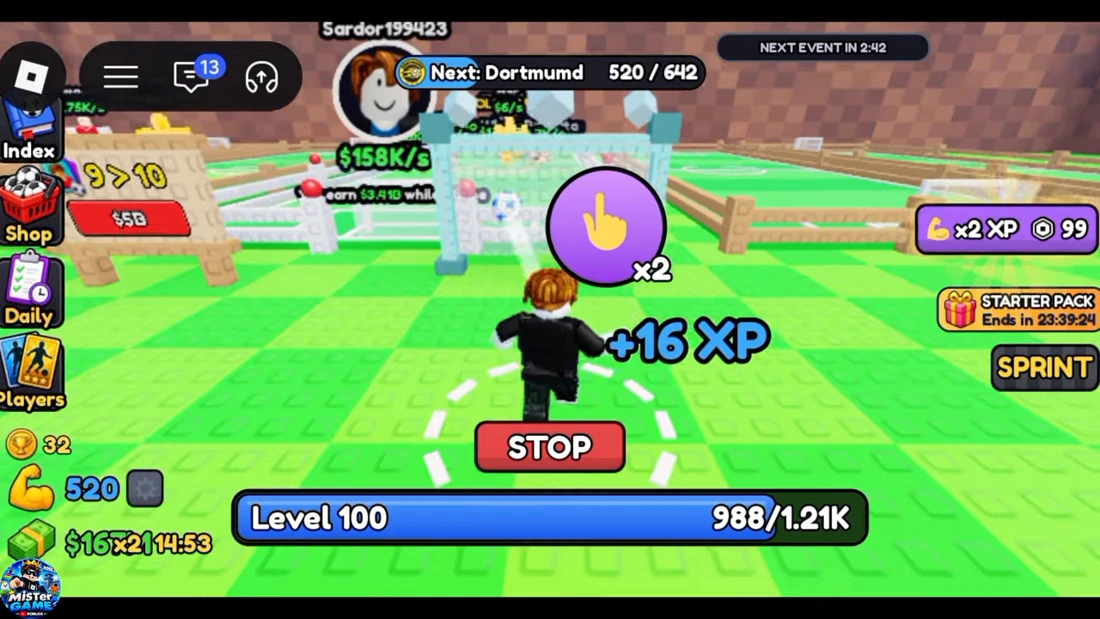
Recorded frames confirm how timed multipliers behave right after collection. Immediately after the 20-minute x2 Cash (15 min) mission screen, the main gameplay view displays an active bottom x2 cash countdown running at 14:53. Make sure your highest-earning footballers are already placed on your pitch via the steps in the Players & Income guide before pressing CLAIM on that 20-minute reward.
Observed Shop Codes and Rainbow Balls
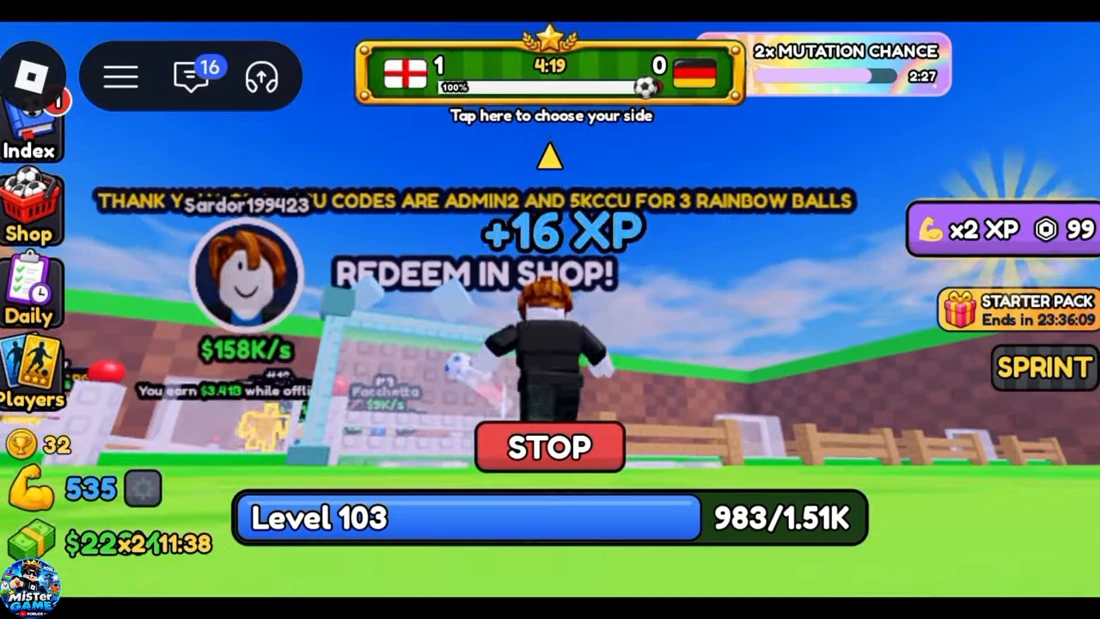
While the public game description does not list promotional codes, recorded gameplay captures an on-screen announcement reading: CODES ARE ADMIN2 AND 5KCCU FOR 3 RAINBOW BALLS; REDEEM IN SHOP. Both strings appear in uppercase as ADMIN2 and 5KCCU. Because available footage captures the broadcast banner without showing an open code input box or confirmation popup, do not assume both codes remain active or whether the three Rainbow Balls apply per code or combined.
To check ADMIN2 and 5KCCU on your own account, open the Shop menu as directed by the banner and look for a redemption input. Keep Rainbow Balls earned from promotions, Day 4 and Day 6 login cards, and the 60-minute playtime mission distinct from the standard cash balls sold at the Ball Shop stand.